The search field is at the top of every page. Type what you are looking for and press Return.
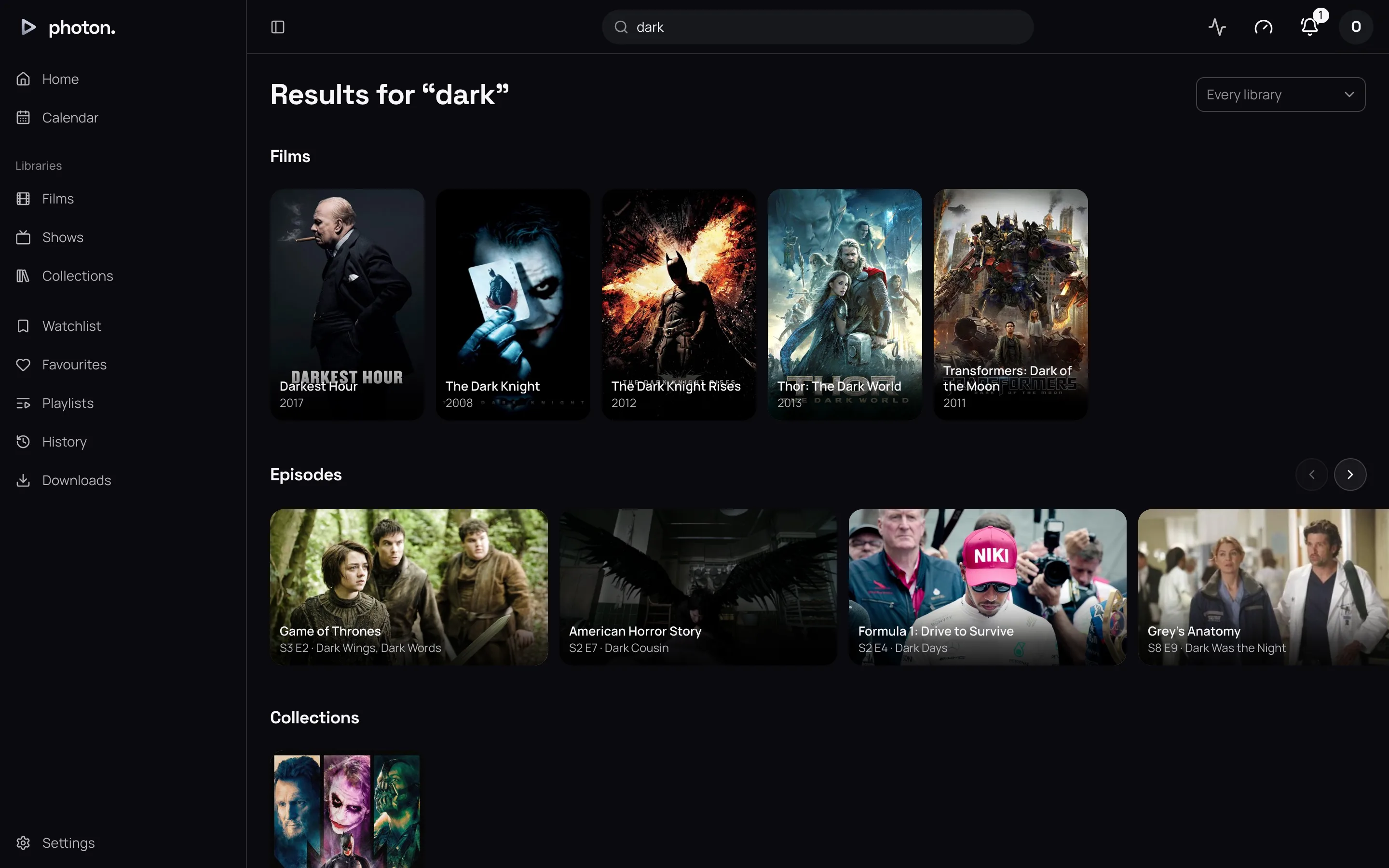
What a search finds
Search matches the start of words. Capitals and accents do not matter, and nor does the order of the words:
amelfinds Amélie.dark knightfinds The Dark Knight Rises.
A film can also be found by its original title, such as the name it was first released under.
The closest matches come first: a title named exactly what you typed, then titles that start with it, then the rest. A show’s episodes come after the show itself.
If nothing matches and you typed at least five letters, search tries again allowing for a typing
mistake. intersteller still finds Interstellar.
People are found the same way, by the start of each word of their name.
The results page
Results come in rows: Films, Shows, Episodes, Collections, then People. Choose a row’s name to see everything of that kind.
If you can see more than one library, Search in narrows the results to one library, or choose Every library. People are always shown, whichever library you pick.
If nothing is found, the page says Nothing here matches.
Note: If a library fetches from elsewhere, such as a Stremio addon, a search of every library may also list titles the server does not have yet. Opening one adds it to the library.
Search only shows what your profile is allowed to see.
Titles the server doesn’t have
If the server takes requests, a search also shows, under Not in library, films and shows that none of its libraries has. See ask for a title.