Typing a password with a TV remote is slow. So a television signs in with a code instead: it shows a short code, you type that code on a phone or computer that is already signed in, and the television is signed in as you.
Photon on Apple TV signs in this way. Jellyfin apps call the same thing Quick Connect (see Use Jellyfin apps).
Sign in a television
- On the television, choose to sign in with a code. It shows a code such as
BCDF-GHJK, and an address to enter it at. It may also show a QR code. - On your phone or computer, sign in as the person the television should watch as.
- Open Settings › Link a device. You can also go to the address the television shows, or scan its QR code, which fills in the code for you.
- Type the code into Code and choose Link. The page says which device was signed in.
The television notices within a few seconds and finishes signing in.
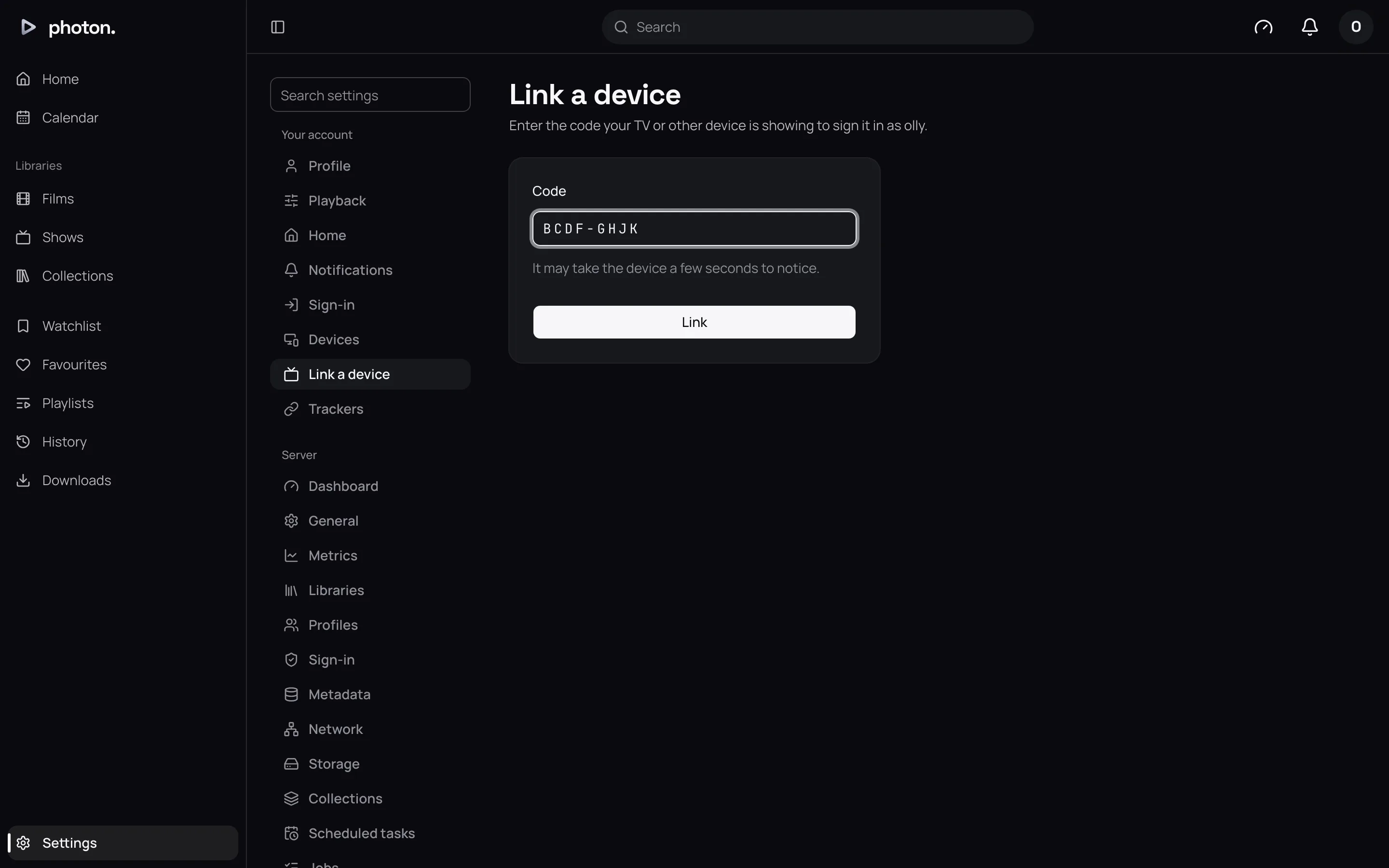
You can also open Link a device from the profile menu.
Whose profile it uses
The television signs in as whoever approved it. To sign it in as someone else, approve the code from a device signed in as them. Or sign it in as yourself and switch profile on the television afterwards.
The code
- It is eight letters, such as
BCDF-GHJK. It has no vowels, so it never spells a word, and no letters that look alike on a screen. - Capitals, dashes and spaces don’t matter as you type it.
- It lasts 10 minutes. After that, the television asks for a new one.
- It works once.
The address the television shows
The television shows the server’s Public address, set under Settings › Server › Network. That way a phone that isn’t on your home Wi-Fi can still reach it. If no public address is set, it shows the address the television itself used. See Reach your server from outside.
Signing a television out
A television appears under Settings › Devices with every other device, and you sign it out there. Otherwise it stays signed in, unless it goes unused for 90 days. See Signed-in devices.
Good to know
- If you approved the television from a device that signed in through a sign-in service, the television is signed out when that account is unlinked or removed at the service.
- Too many wrong codes in a row make you wait a few seconds between tries, so codes can’t be guessed.
- Building your own TV app? Pairing is described in the API reference.