A film or show can have a theme tune that plays quietly while you look at its page. photon-server finds theme tunes saved in the title’s folder. It can also download them for you from ThemerrDB, a community list of theme tunes.
Theme music is off until a profile turns it on.
Turn theme music on
- Open Settings › Playback.
- Turn on Play theme music.
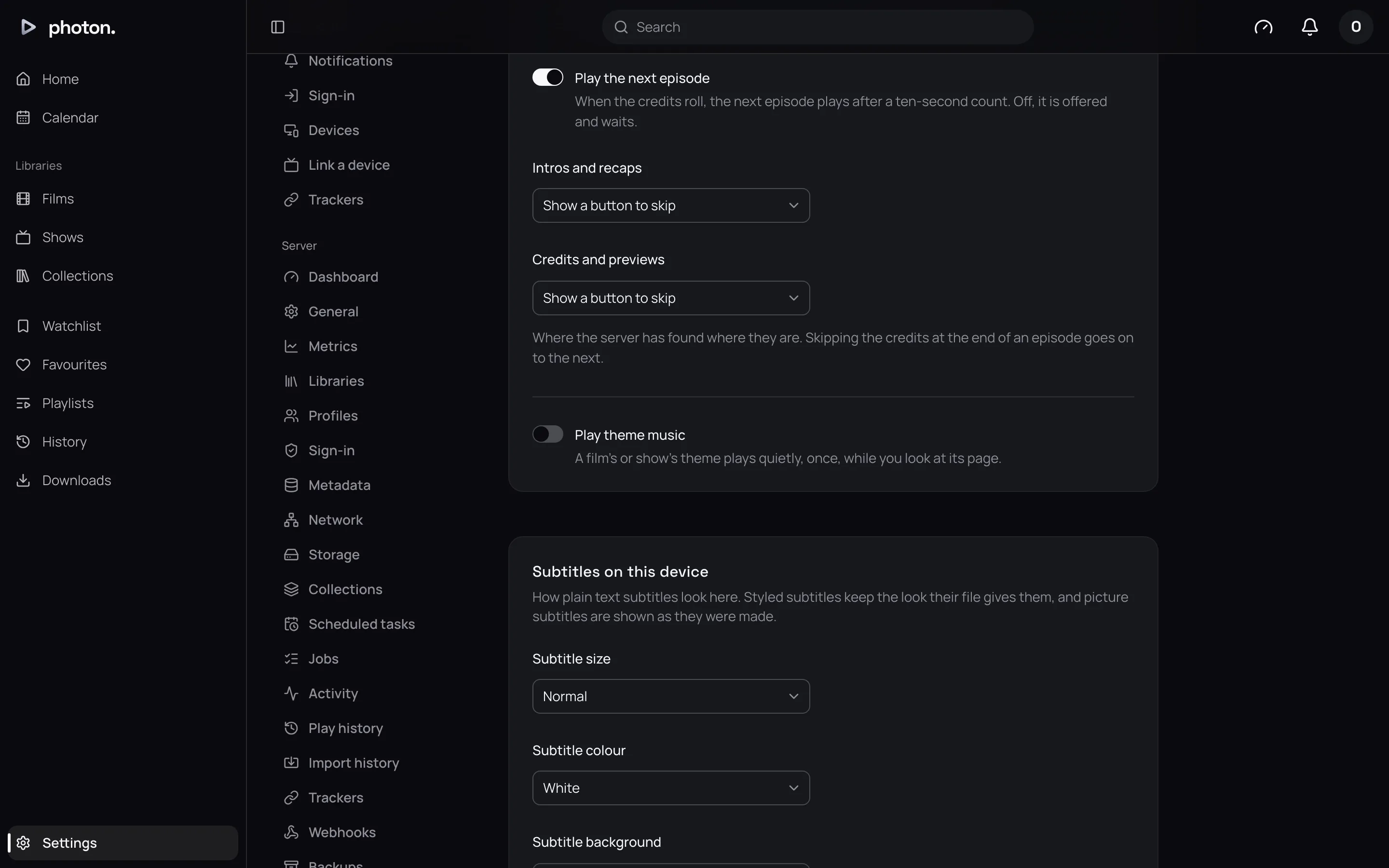
Now, when you open a film’s or show’s page, its theme plays once, quietly. A season’s or an episode’s page plays its show’s theme. This is a setting for your profile, so others on the same server choose for themselves.
Choose where a library’s themes come from
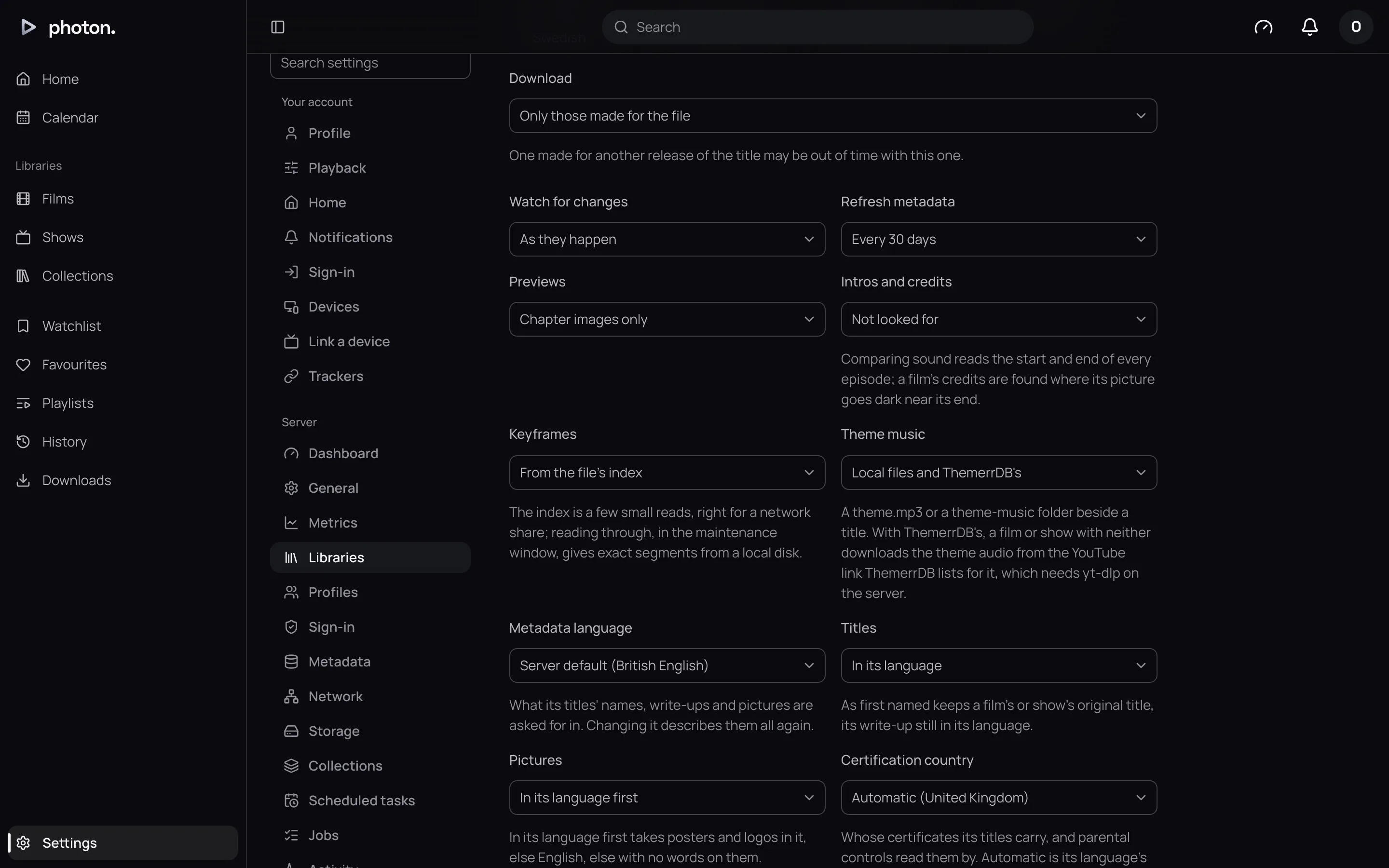
- Open Settings › Server › Libraries and choose the library.
- Open More settings and find Theme music.
- Choose one, then save.
| Setting | What it does |
|---|---|
| Theme music | Local files only (the default) plays theme files saved beside your titles. Local files and ThemerrDB’s does the same, and downloads a theme for any film or show without one. None plays no theme music for this library. |
Add theme files yourself
Put a sound file in the title’s own folder, the film’s or the show’s:
- A file named
theme, such astheme.mp3. - Or any sound files in a
theme-musicfolder. They play after athemefile, in order.
Films/Heat (1995)/
  Heat (1995).mkv
  theme.mp3
Shows/Severance/
  theme-music/
    main-title.flac
    season-two.m4a
  Season 01/
The common sound file types work, including MP3, M4A, AAC, FLAC, Ogg, Opus, WAV and WMA. The file is found the next time the library is scanned.
A title with its own theme file never gets one from ThemerrDB. Your file is what you chose.
Download themes from ThemerrDB
ThemerrDB lists a YouTube link to the theme of many films and shows. With Local files and ThemerrDB’s chosen, photon-server looks each title up and downloads the sound from its link.
- When you choose it, photon-server looks for a theme for every film and show in the library.
- Each new title is looked up as it is added, and each title again whenever its details are refreshed, so themes added to ThemerrDB later are found.
- A title must be recognised first, because the lookup uses its TMDB or IMDb entry (see fix a title’s match).
Important: Downloading needs yt-dlp, a tool that downloads from YouTube. The Docker image has it. Settings › Server › Dashboard shows yt-dlp and whether your server found it. Without it, you cannot choose ThemerrDB’s.
photon-server downloads from YouTube at most once every 10 seconds, so it is not mistaken for a bot. Filling a large library for the first time takes a while. You can follow each download at Settings › Server › Jobs, as Fetch a theme tune.
Good to know
- If ThemerrDB has no theme for a title, it is not asked again for a day.
- If a YouTube video cannot be downloaded (removed, private, blocked or age-restricted), it is not tried again for 7 days. The server log says why. If ThemerrDB replaces the link, the new one is tried straight away.
- A theme larger than 32 MiB is not kept.
- Downloaded themes are stored with the server’s artwork (see storage).
- If you run several servers together, a server without yt-dlp leaves the downloads to one that has it (see several servers).