HDR (high dynamic range) is a picture with brighter highlights, deeper shadows and richer colour than an ordinary picture, which is called SDR. Dolby Vision is Dolby’s own kind of HDR, which adds instructions for each scene on how bright it should be.
Your films may be in any of these: HDR10, HDR10+, HLG, Dolby Vision, or ordinary SDR. Your screens may show some of them or none. photon-server reads which kind each film is when it scans your library, and the app you watch on tells it which kinds your screen shows.
On a screen that shows HDR
The film plays as it is, in HDR, with nothing converted.
If the screen shows HDR but not the film’s exact kind, the server sends the closest kind it does show, still without converting the picture:
- An HDR10+ film is shown as HDR10.
- A Dolby Vision film is shown as the HDR10, HLG or SDR picture underneath it. Most Dolby Vision films have one.
Only when none of this works is the film converted, with the reason HDR on the dashboard.
Sometimes a film has to be converted for another reason, such as its size. If the app plays the newer HEVC format and the screen shows HDR, the server keeps the HDR as it converts. A converted film is never sent as Dolby Vision, only as HDR10 or HLG.
On a screen that doesn’t
The server converts the film as it plays and turns the HDR into an ordinary picture, adjusting the brightness so it looks right. This is called tone mapping. It happens on your graphics card where you have one.
What the web app shows
The web app asks your browser and your screen. It shows HDR only when your screen is in HDR mode and the browser can play it. On an ordinary screen, it asks for SDR, so HDR films are tone mapped for it. Safari can also play some Dolby Vision.
Tip: If HDR films look grey and washed out in the web app, check that your display is set to HDR in your computer’s display settings.
See what a film is doing
Settings › Server › Dashboard shows each film’s picture as it is and as it is sent. For example:
hevc 3840×2160 HDR10 → h264 1920×1080 8 Mbps tone mapped: converted to an ordinary picture.HDR10 → hevc … HDR10: converted, with HDR kept.- Direct stream or Direct play with no arrow: the HDR went as it is.
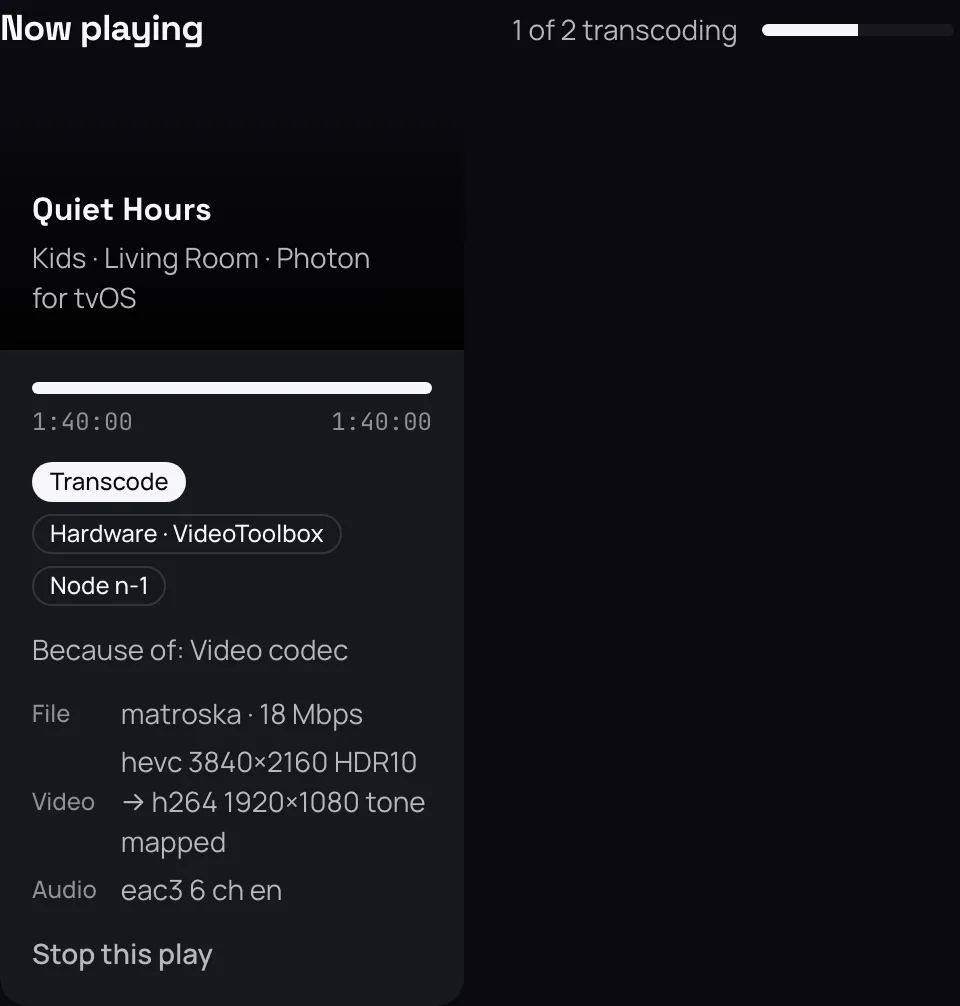
If an HDR film looks washed out or too dark, the app has said the screen shows a kind of HDR it doesn’t, or the other way round. See troubleshooting.
Good to know
- Dolby Vision profile 5 has no ordinary picture underneath it, so on a screen without Dolby Vision it is always converted.
- Dolby Vision from a Blu-ray (profile 7) can be changed to the kind streaming devices play (profile 8.1) without converting the picture, where the app asks for it.
- Each server checks at start that its graphics hardware can tone map. Where it can’t, the server still converts on it, and the processor tone maps instead, more slowly.