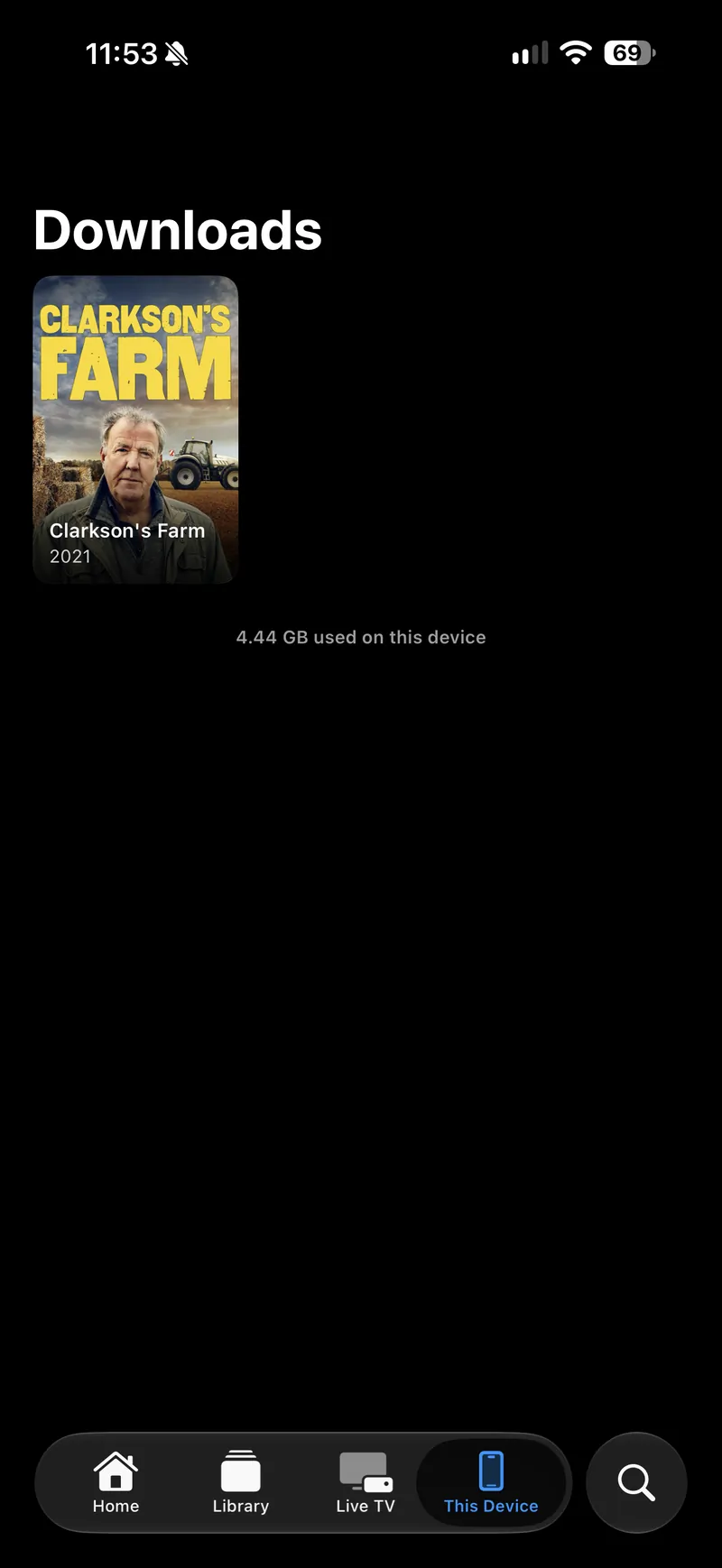
This Device holds what is stored on the machine itself. It is the tab to open on a plane, and the one place a download or an opened file can be found again.
The two sections
| Downloads | Titles you have downloaded from a server or a drive. It is what the tab opens on. |
| Files | Videos you have opened yourself, from the Finder or the Files app. It appears once you have opened something. |
What a download keeps
- Its audio tracks and its subtitles, so the choices on the title page work offline exactly as they do at home.
- Its artwork and description, fetched alongside the video rather than before it.
- Your position, which is reported back to the server the next time the device is online.
Downloads are grouped by series, so a season is one card rather than ten.
Removing things
| One title | Open it here and use the download button. |
| Everything | Settings ▸ Downloads ▸ Storage ▸ Remove All Downloads. It asks first. |
| A file you opened | Removing it from Files removes photon’s record of it. The file itself is wherever you keep it. |
Storage
Settings ▸ Downloads ▸ Storage says how much space downloads are using. They are excluded from device backups, because your server still has them and a backup that carried them would be enormous.
There is no This Device tab on Apple TV, which has no storage you can manage and no way to be handed a file.