Home asks every connected source at the same time and merges the answers into rows. That includes every server you have added and any films and shows a Live TV subscription carries.
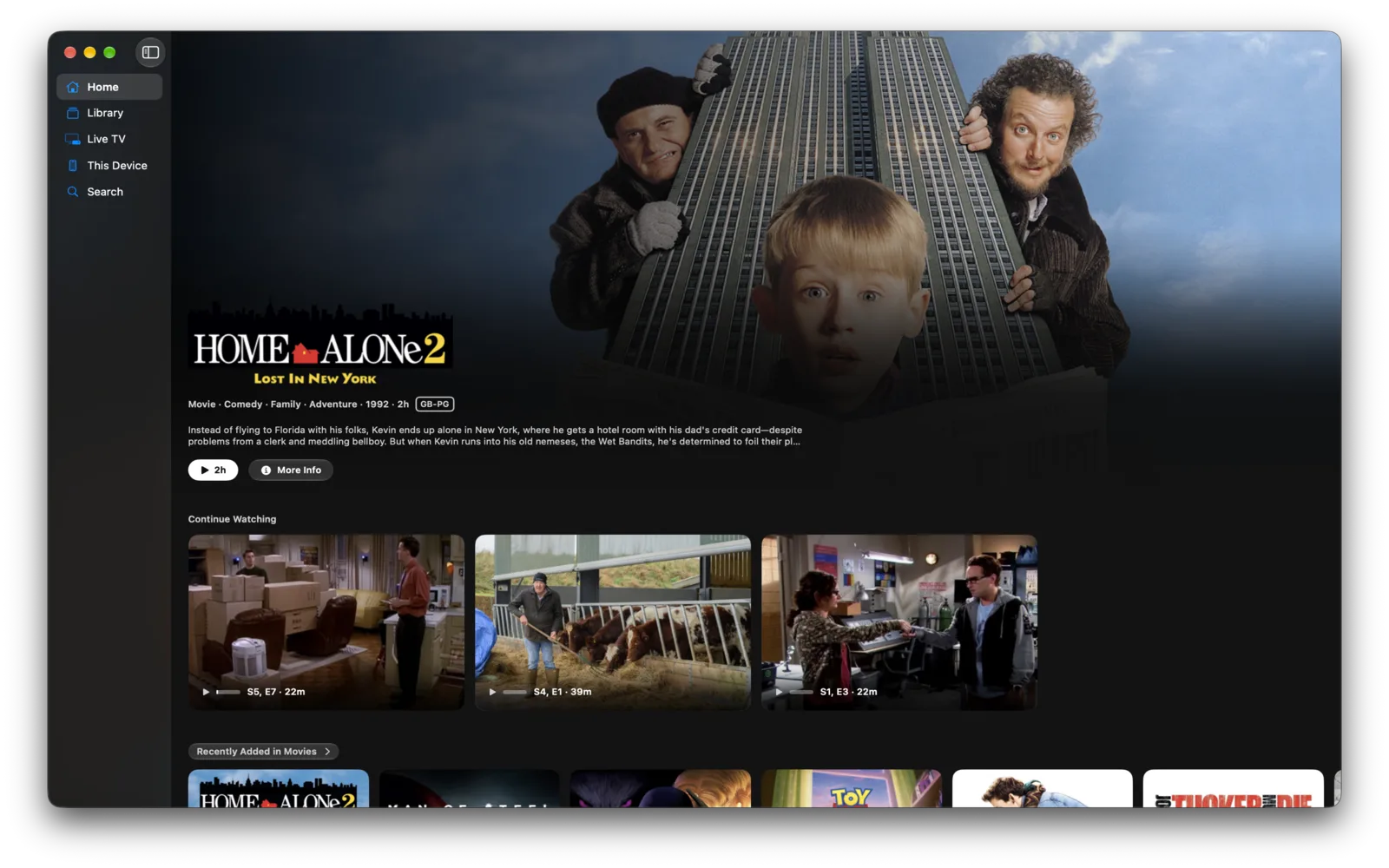
The rows
| Continue Watching | What you are part way through, from every source at once. |
| Next Up | The next episode of a series you are watching, whether or not you have started it. |
| Recently Added | What has appeared on a server lately, one row per library. |
Which rows exist depends on what your servers publish, so a library with nothing new has no Recently Added row of its own.
Two things about how they load:
- A slow source does not hold up the others. Rows fill in as each server answers.
- A source that is off is left out rather than emptying the row, and it returns on its own when it answers again.
The showcase
The band across the top is the showcase. By default it draws Curated, your server’s own pick.
To change it:
- Open Settings ▸ General.
- Under Navigation, set Showcase Shows to Curated or to any one of your Home rows.
- Or turn Showcase off, which gives the whole screen to the rows.
A showcase pointed at a row moves through that row every few seconds until you swipe, and then stays where you left it.
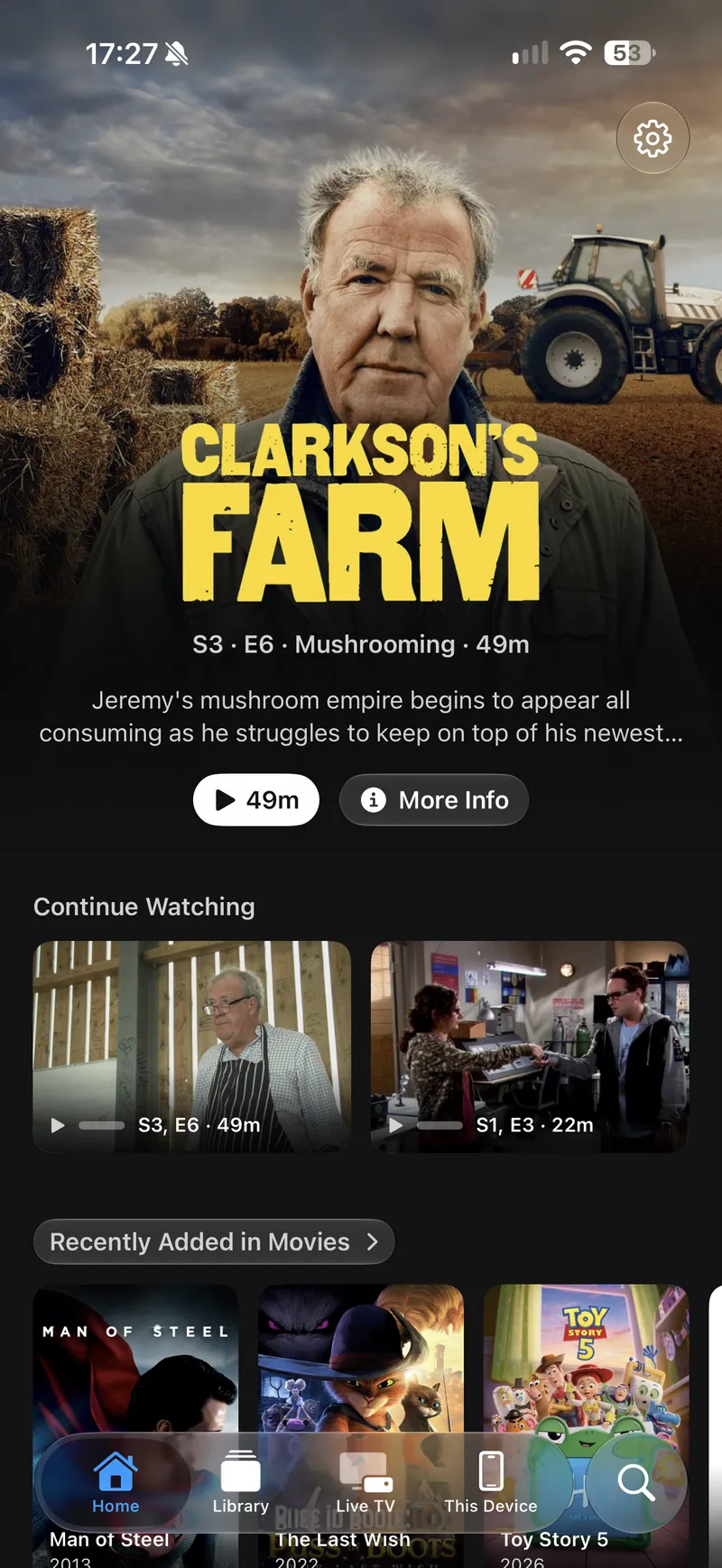
Changing what is on Home
| Settings ▸ General ▸ Home Rows | Reorders the rows, and hides any of them. Hiding a row removes it from Home only. |
| Settings ▸ General ▸ Libraries | Turns a library off, which removes it from the whole app rather than just from Home. |
| Settings ▸ General ▸ Navigation | Sets which tab the app opens on, if you would rather it were not Home. |
Spoilers
Settings ▸ General ▸ Spoilers ▸ Hide Episode Spoilers blurs the still image on an episode you have not started, so Next Up does not give away the end of the one you just finished. An episode you are part way through is not blurred.