Photon asks your server for the file as it is and plays it as it is wherever it can, including formats Apple’s own player cannot open. Nothing is re-encoded, so no quality is lost and your server is not left transcoding.
What plays as it is
| Video | HEVC, H.264, VP9 and AV1. |
| HDR | Dolby Vision profiles 5, 7 and 8.1, HDR10, HDR10+ and HLG, where the display supports them. |
| Containers | MKV, MP4, MOV and TS. |
| Audio | Dolby Atmos, Dolby Digital Plus, TrueHD, DTS-HD Master Audio, AAC, ALAC, FLAC and Opus. |
| Subtitles | PGS, VobSub, SubRip, ASS/SSA and WebVTT. |
The three ways a title can reach the player
Which one you get is decided per title, and Playback Stats on a Mac names it while the title is playing.
| Sent as it is | The file arrives untouched and photon plays it. Nothing is converted anywhere. |
| Remuxed | The tracks arrive untouched, and photon repackages them on the device so the system player will accept them. This is how an MKV plays without a server transcoding it. The picture and the sound are the file’s own. |
| Re-encoded | The server makes a smaller copy as it sends. This happens when you have set a quality ceiling the file is above, or when the server refuses to hand over the original. |
Dolby Vision
Dolby Vision is on by default and used wherever the display supports it.
Some displays handle HDR10 better than Dolby Vision. To play those titles as HDR10 instead:
- Open Settings ▸ Playback.
- Under Picture, turn Dolby Vision off.
The file is unchanged either way. This only decides which of the two the title is presented as.
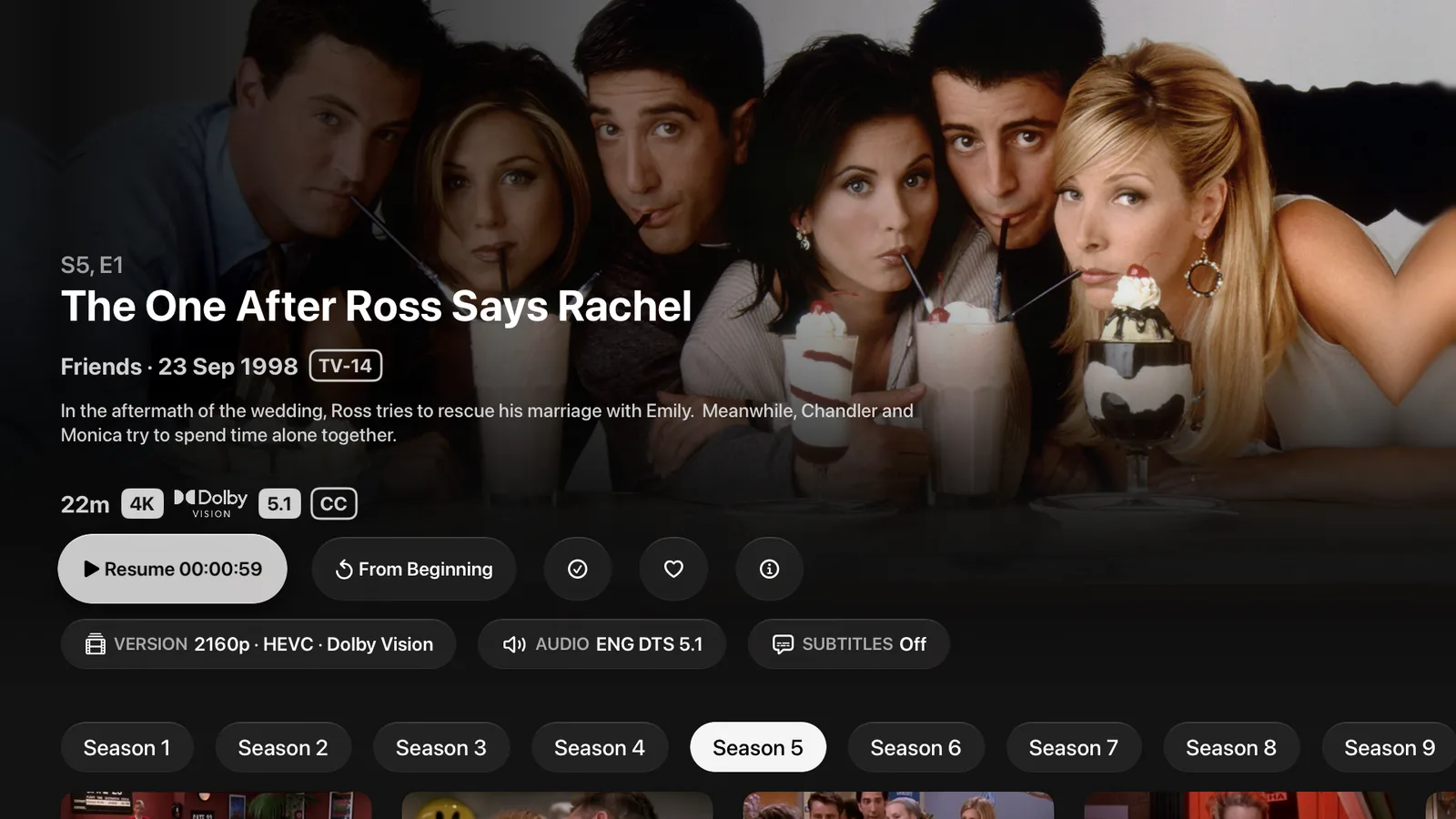
The badges under a title’s name say what the file is, and the Version capsule says the same for the copy you are about to play. If a title has more than one version, the capsule is where you choose between them.
The quality ceiling
Settings ▸ Playback ▸ Quality sets the most a title may use. It runs from Original down through fifteen steps, each naming a bitrate and a picture size: 60 Mbps at 4K, 20 Mbps at 1080p, 2 Mbps at 720p, 0.4 Mbps at 360p, and so on.
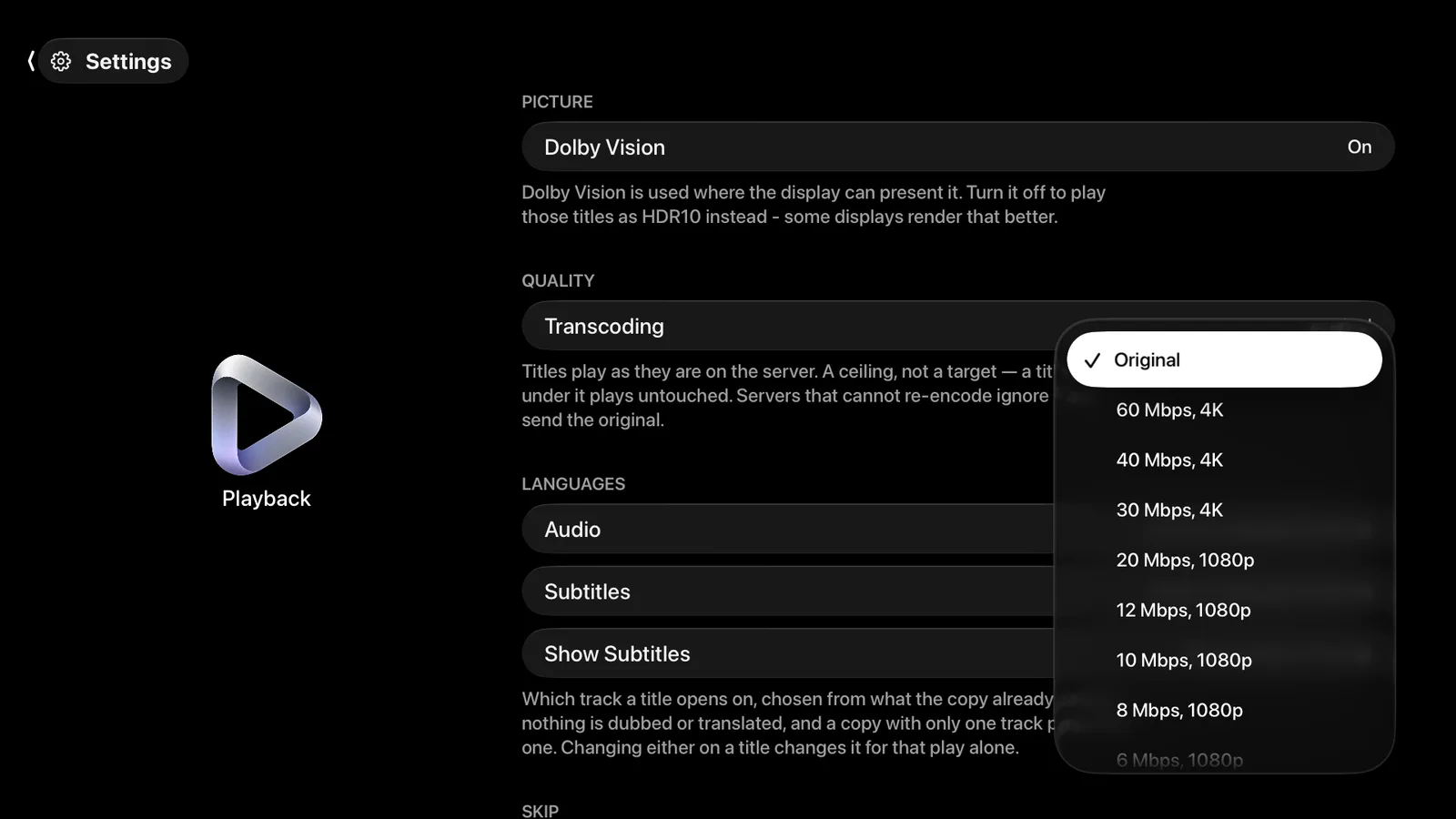
Three things are worth knowing:
- It is a ceiling, not a target. A title already below it plays untouched.
- Only a title above it is re-encoded, and it is your server that does the work.
- A server that cannot re-encode ignores the setting and sends the original.
Leave it on Original unless your connection cannot carry your files.
Which formats need Pro
Three, and photon names the file’s own property first so you can check it:
- 4K and above. The message names the picture, such as 4K or 8K.
- MKV, however the source spells the container.
- A Dolby TrueHD or DTS soundtrack. One such track among several is enough.
Everything else plays free, with as many servers as you connect.
Two exceptions. The first five plays of a Pro format are free, and a file you opened yourself on a Mac, iPhone or iPad is never limited by your plan.
When a device cannot decode something
What a device can decode and present is a fixed limit, and it is not the same on every device. Where photon cannot give you the best version of a file it says what you are getting instead, rather than failing silently. Playback Stats shows both: what the file holds, and what the device resolved it to.